Review zplane TIMBRE
zplane TIMBRE Review: Formant Shifting Finally Gets Interesting
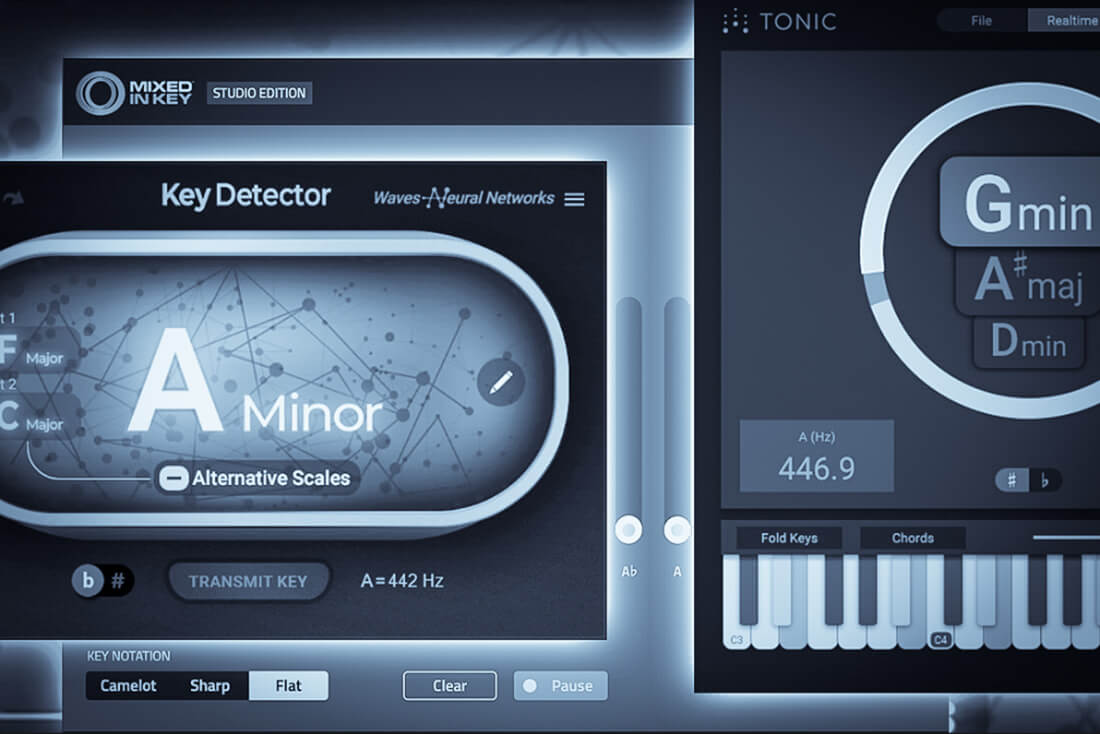
zplane plugins are part of my daily routine. TONIC, just updated to version 2 (check out my review here), is one of them. Élastique Pitch and reTune are also always right at my fingertips. Their pitch-shifting algorithms are really outstanding. I’m also a kind of “formant shifting nerd”. I’ve used this technique in my sound design for ages. The problem is: most formant tools target monophonic material. Throw something more complex at them and you hit a wall.
Most people think of vocals when they hear “formant shifting”, and that makes sense. Changing the character of a voice without touching the pitch is a classic trick, and you hear that all the time in modern music production. But zplane’s new TIMBRE plugin takes the idea further. It’s a real-time polyphonic formant shaper. You can throw almost anything at it: stereo signals, drum loops, instruments, even whole mixes.
If you like weird textures and turning boring sounds into something completely different (like me), you can guess how excited I was.
What TIMBRE does
Every sound has its own fingerprint. A warm analog bass, a metallic percussion hit, a nasty distorted synth: even at the same pitch they can feel totally different. That comes from the harmonic content, the resonances and how the energy spreads across the spectrum.
Instead of just boosting or cutting frequencies like an EQ, TIMBRE reshapes the spectral character of a sound by shifting its formants. The pitch stays exactly where it is. Take a soft, round bass and make it aggressive, almost metallic. Or turn a plain percussion sample into something darker and more resonant. It sounds amazing!
Under the hood sits an extended version of zplane’s Élastique technology. Élastique Pitch offers a formant range of ±12 semitones. TIMBRE goes all the way to ±36: three octaves in either direction – and believe me, this makes a huge difference! The engine is polyphonic; chords, drum loops, and stereo recordings pose absolutely no problem.
Dual-Band Processing, My Favorite Part
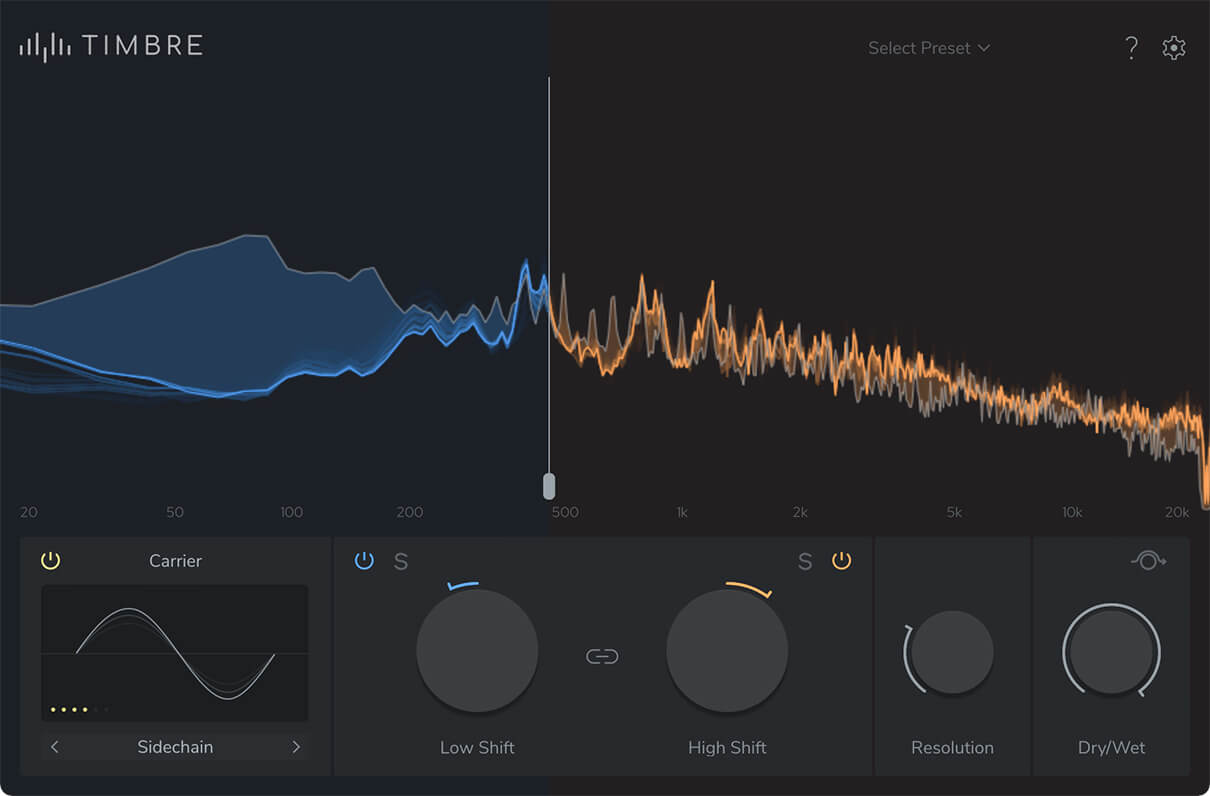
TIMBRE splits the incoming audio into two bands that you can shape independently. By default both bands are linked and move together. Switch to Unlinked Mode and you get separate control over Low and High, with an adjustable crossover. Each band also has its own bypass and solo button. Really handy.
This is where it gets fun for me. Say a drum loop feels a bit dull on top. Normally I’d grab an EQ and push the highs. With TIMBRE I can shift the formants of the upper band instead, and the loop gets a completely different kind of brightness and presence. To my ears that often sounds much more interesting than a simple EQ boost. You don’t just make things louder. You change the character – sometimes drastically if you like.
The same applies to basslines, synths, and melodic loops. We’ve all been there: the melody works, the notes are spot on – but the sound itself is rather dull – too ordinary. Instead of scrolling through presets for an hour or stacking more and more effects, I can reshape the sound and keep the melody untouched.
It’s a different way of thinking about sound design, with plenty of room to play.


A Playground for Experiments
TIMBRE can do subtle but it can also go completely over the top. With that huge shifting range, even simple material can end up somewhere out of this world. Drum loops turn metallic or almost synthetic, percussion picks up strange resonances, synths get a brand new personality. But even everyday-sounding field recordings can be taken in a completely different direction – fantastic!
A Resolution control sets the level of detail of the processing. Higher values sound more refined, lower values get rougher and crunchier. Combine that with extreme formant shifts and you get some cool textures. A Dry/Wet control lets you blend in the original signal, so you can go from a gentle touch to full destruction.
TIMBRE doesn’t push you toward extremes. Sometimes a tiny tweak is enough to make a bassline more exciting or to give a synth loop that little something it was missing. When you want to go wild, yeah – it’s all there.
Techno percussion, bass, atmospheric textures, melodic sequences: it all feels different from the usual mix of filters, EQs and distortions. I am already certain that I will make extensive use of this tool in my future sample packs.
The Carrier Section
There is also a Carrier section for vocoder-style processing. For sound design, this massively expands the possibilities. You can choose between an internal white noise generator and an external sidechain signal. The noise mode is excellent for whispered vocal textures, noisy percussion sounds, and unconventional rhythmic timbres.
The external sidechain mode is even more fun. You can use another audio source as the carrier and mix the characteristics of two totally different sounds. Process a drum loop with a synth pad as the carrier, for example, or blend melodic material with something more aggressive and get hybrid textures you wouldn’t get otherwise. You can even make a vocal sound like a synthesizer. Because TIMBRE works spectrally, the result is that it has a better resolution than some classic vocoders I know. It’s simply richer in texture and great for creature voices, robotic textures and film sound design.
The Carrier processing can also be limited to certain frequency bands: keep your low end as it is and add the vocoder effect only to the highs. It’s another way to get more out of this tool.
Interface, Workflow and Performance
But even with all this tech inside, TIMBRE is really easy to use. A big real-time spectrum display shows the original and the processed signal, and the main controls sit right below it. You can set the crossover directly in the display, and the Low and High Shift controls give you instant access to the formant processing.
I am glad that zplane didn’t overload the interface. Everything is where you expect it, and you can start experimenting without reading the manual first. The factory presets are a good starting point for vocals, drum enhancement, mixing, and more experimental stuff.
A small suggestion for improvement: TIMBRE doesn’t come with a huge number of presets, but they sound very different from each other and, depending on the material, can be really inspiring. What I miss is a quick way to switch between them, with next/previous arrows like the ones in the bottom left of the Carrier section, or via keyboard shortcuts. It’s a small feature, but it would make the workflow simply faster.
The latency is about 23 milliseconds at 44.1 kHz, according to zplane. That’s fine for mixing and sound design, but not ideal for live monitoring. A low-latency mode would be great to have.
TIMBRE comes as VST3, AU, and AAX for Windows and macOS.
How TIMBRE Compares
Formant shifting isn’t new, but most tools on the market are built around the human voice. Soundtoys Little AlterBoy, Waves Vocal Bender or Antares Throat are monophonic by design and aimed at vocals. That’s fine for a quick hard-tune or a gender swap, but throw a drum loop or a chord at them and you can’t really do it without more complex DAW routing or multiple instances of the plugin.
Multiband harmonizers like MeldaProduction’s MMultibandHarmonizer come closer, but they are harmonizers first and formant tools second. And for the vocoder side, Zynaptiq’s MORPH 3 is probably the closest alternative, but it’s a different, more expensive beast.
TIMBRE vs. Élastique Pitch
Then there’s zplane’s own Élastique Pitch. I’ve been using it myself for years, but TIMBRE goes in a different direction. TIMBRE is built on an expanded version of its timbre-shifting engine, but the two have different jobs. TIMBRE has no pitch shifting at all. It’s a dedicated formant shifter with three times the range (±36 instead of ±12 semitones). It can also split the signal into two bands and shift each one independently, which Élastique Pitch can’t do, and it adds the Carrier section for vocoder-style effects. According to zplane, Élastique Pitch is the choice for super-transparent pitch and formant shifting, while TIMBRE is made for deep formant shifting, from subtle mixing enhancements to creative sound design.
BTW, as far as I know, there’s no other plugin that puts polyphonic formant shifting, independent dual-band processing and a carrier section into one tool. And at €79, it’s also cheaper than most paid alternatives.
Verdict & Summary
TIMBRE is one of those plug-ins that immediately excited the sound designer in me. Reshaping the tonal character of almost any audio material without changing the pitch is cool on its own. But the independent dual-band processing and the Carrier section take it to another level.
What I like most is the totally different approach. I’m not just boosting frequencies with an EQ or adding harmonics with saturation; I’m actually changing the spectral character of a sound. Adding presence to a dull drum loop, giving a boring bassline some personality, turning a simple sequence into something special: it all works, it’s a lot of fun and it’s incredibly easy to use.
Extreme settings can produce audible artifacts and odd resonances, so it’s not always the tool for transparent processing. For creative sound design, however, this is absolutely not a problem. In fact, it is precisely these unexpected results that often make a sound interesting – allowing you to stand out from the crowd.
I’ve worked with formant shifters for many years, and none of them has impressed me as much as TIMBRE. Being able to process polyphonic material, stereo recordings, drum loops and even complete mixes is great already. But splitting the signal into two bands and shifting their formants completely independently is what sets it apart for me.
It’s a fantastic sound design tool that makes me want to experiment and look at familiar sounds from a new angle. That’s exactly what I want from a creative plugin.
TIMBRE gets the Sounds of Revolution Award. Deserved.

Visit my BLOG for other vst recommendations, production tips and more!
Cheers,
Oliver Schmitt aka Sounds of Revolution (SOR)